 PERICLES / DESKTOP APP
Desktop App.
Mac and Windows. Keep working with no internet — it syncs when you are back.
Free with your Pericles account. Start free
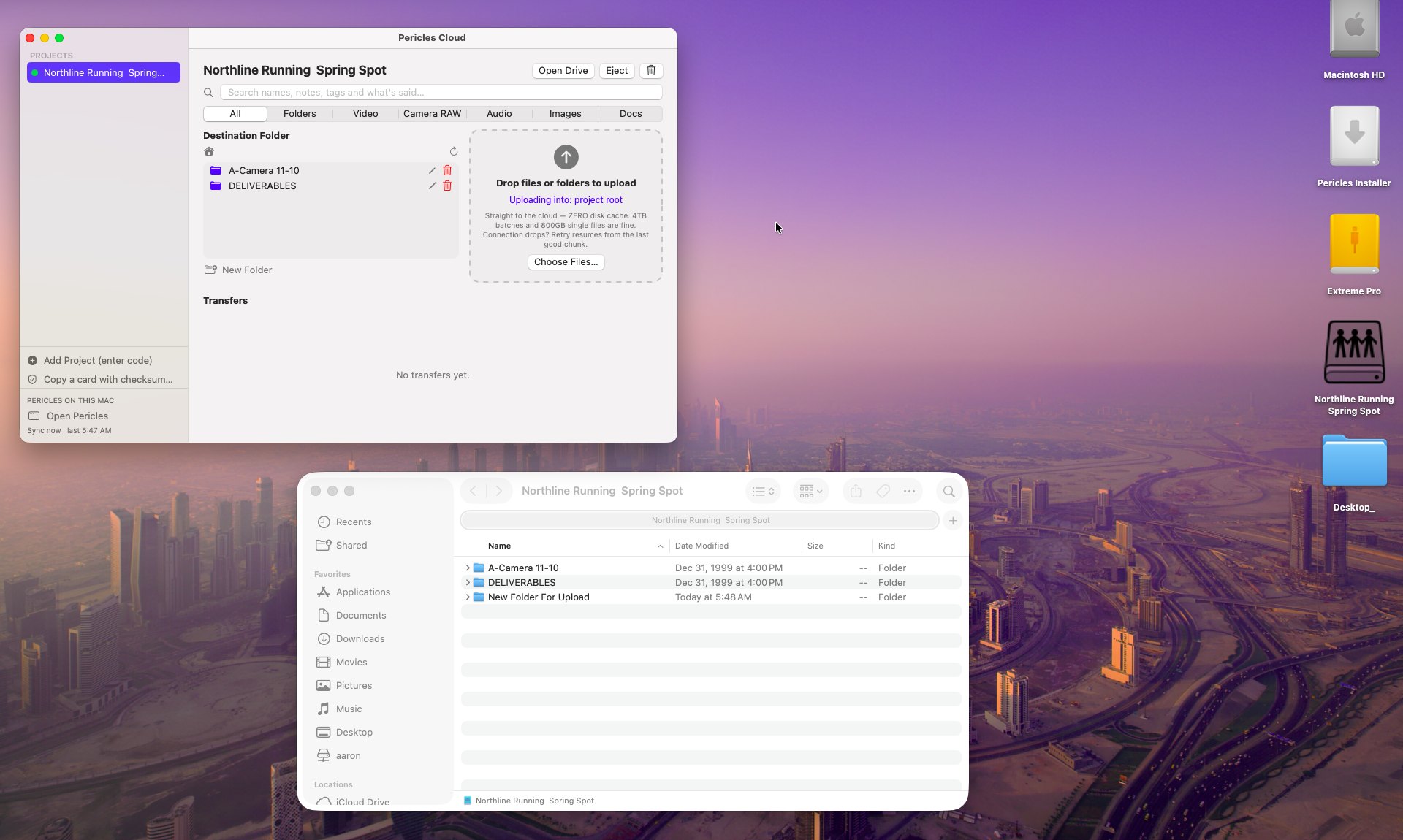
Locations, planes and stages have no signal, and web tools stop working the moment the Wi-Fi drops.
The Pericles desktop app for Mac and Windows keeps a local copy of your projects, saves everything offline and syncs both ways when you reconnect — download it free on this page.
Budget changes made on a flight land on the server in one sync, with a record of who changed what.
The Whole Pericles on Your Computer
Set up Pericles on a Mac or PC and it carries the same Pericles with its own local copy of your projects. Budget, script, tasks, contracts, schedules and edits all save with no internet, and sync both ways every few minutes when you are online. Admins choose which areas and projects each laptop gets, and every change is logged. Project drives mount in Finder or Explorer, so footage uploads straight from the computer.
No Signal? Keep Working.
Producers
Budgets and schedules on a plane or on location.
Writers
Scripts with no Wi-Fi.
Editors
Cut from local drives, render here.
Admins
Choose what each laptop gets, see every change.
Take Pericles Offline.
Desktop and mobile apps — in Pericles.
Start FreePericles.
One login runs the entire production.